Daniel Shporin
Medical Office is here. Students can now run a full clinic day in ChartFlow: schedule patients, check them in, room them, and manage the visit from start to finish. Also new: outpatient prescriptions, exact medication routes, and simulation start times.
Medical Office
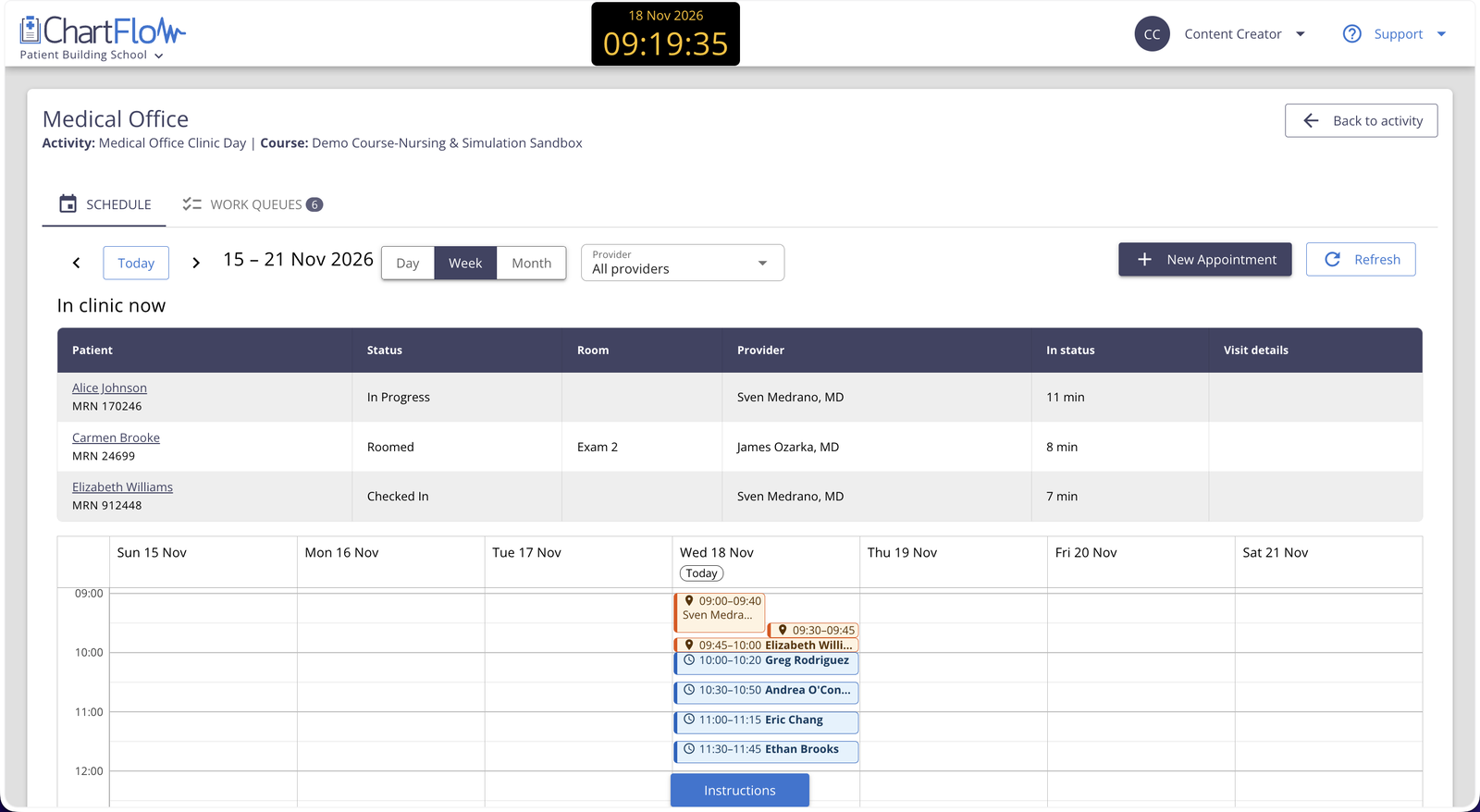
Medical Office brings outpatient and clinic workflows to ChartFlow. Students run a real clinic day: they schedule patients, check them in, room them, and manage the visit from start to finish. It's built for Medical Assisting, ambulatory care, and outpatient nursing courses.
This feature is 5 years in the making, so we're incredibly excited for its release! Here's what you'll find:
- Day, Week, and Month calendar views for students and instructors
- Book, edit, and reschedule appointments, and choose the provider
- Appointment statuses that follow the visit, including check-in and rooming
- Smart warnings when a booking falls outside a provider's hours or double-books a patient or provider
- Work Queues for insurance verification, prior authorization, coding, billing, and prescriptions waiting to be sent
- The schedule follows the simulation clock, so "Today" always matches your scenario
Here's a link to our Medical Office Guide.
Medical Office is available to all programs, no activation required.
Medical Office Webinar
Join us on Wednesday, December 2 at 12:00 PM ET. We'll set up a clinic day, walk through the student experience, and answer your questions.
Prescriptions
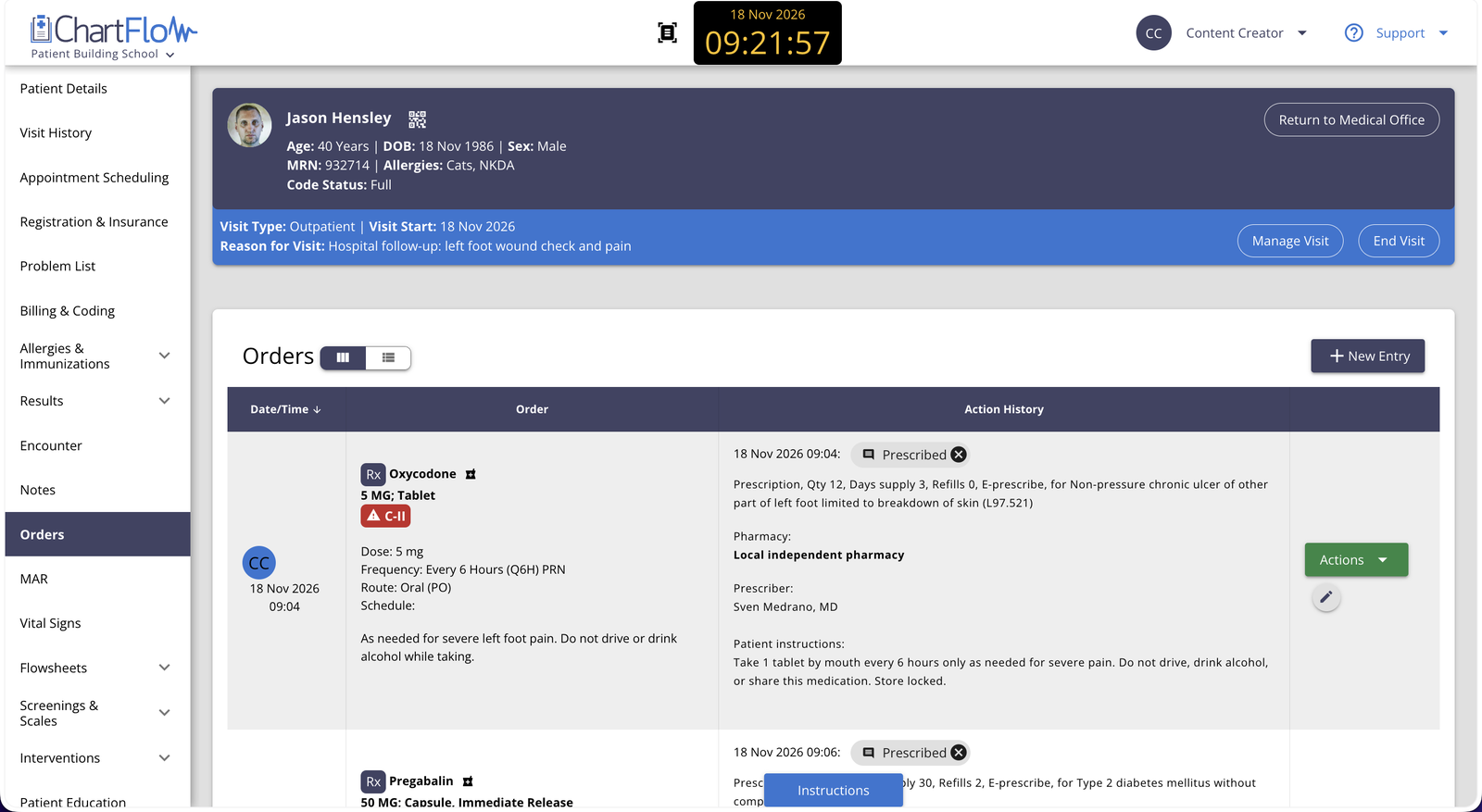
Students can now write and track outpatient prescriptions, from the provider's order to patient pickup.
- Mark medication orders as Administer here, Prescription, or Home medication
- Follow each prescription through Prescribed, Transmitted, Filled, and Picked Up
- Pick a pharmacy and link the indication to the patient's Problem List
- Built-in checks for quantity, days supply, and refills
More in This Release
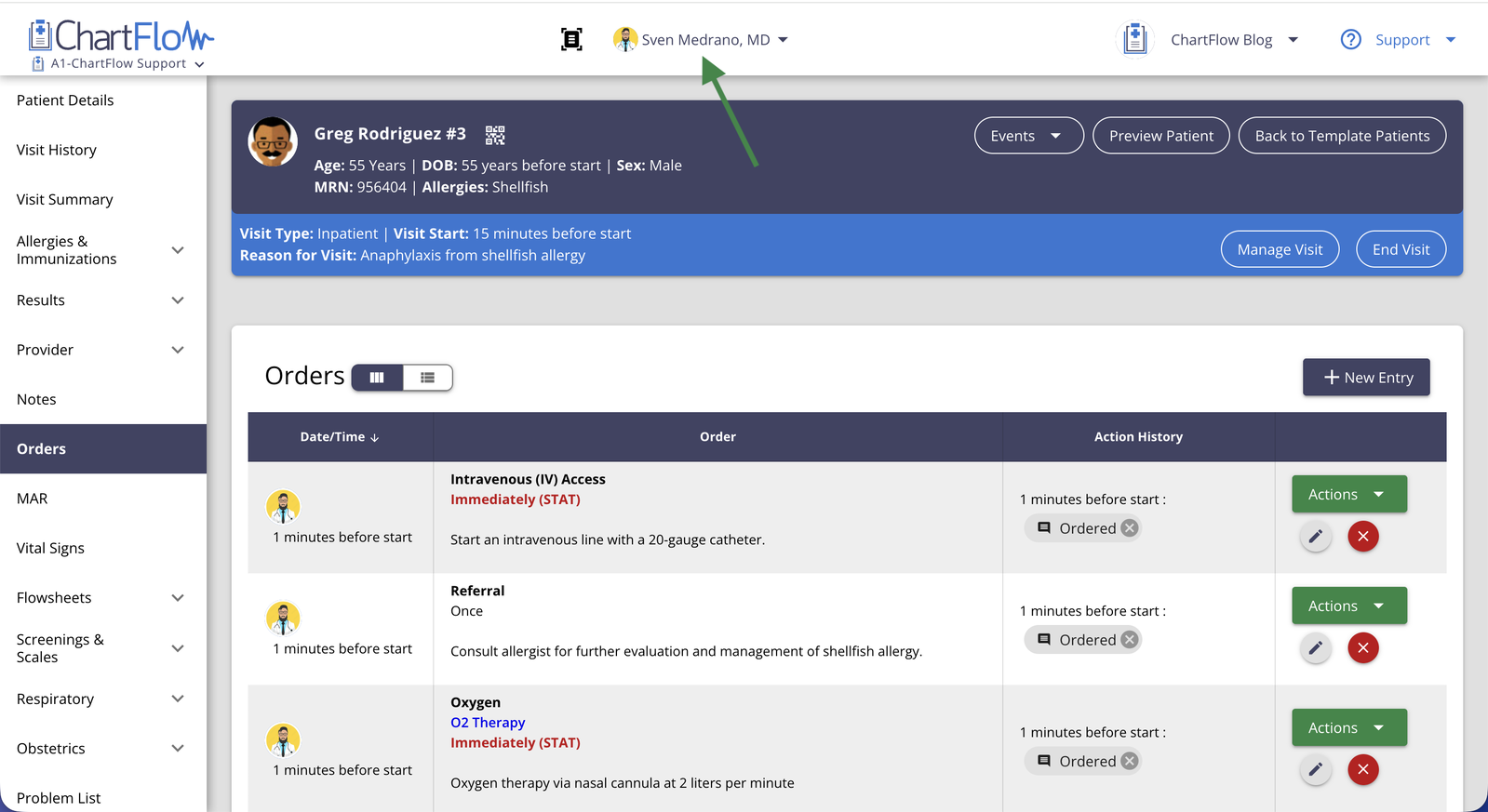
- Exact routes on medication orders. A dose that used to say "Injectable" can now say IV Push, IV Piggyback, IM, Subcut, and more. Your route shows on the order and the MAR.
- Set an activity start time. You can now set a default fixed start time at the activity level. Perfect for simulations!
- Filter orders by type. Narrow a long order list to just the orders you need.
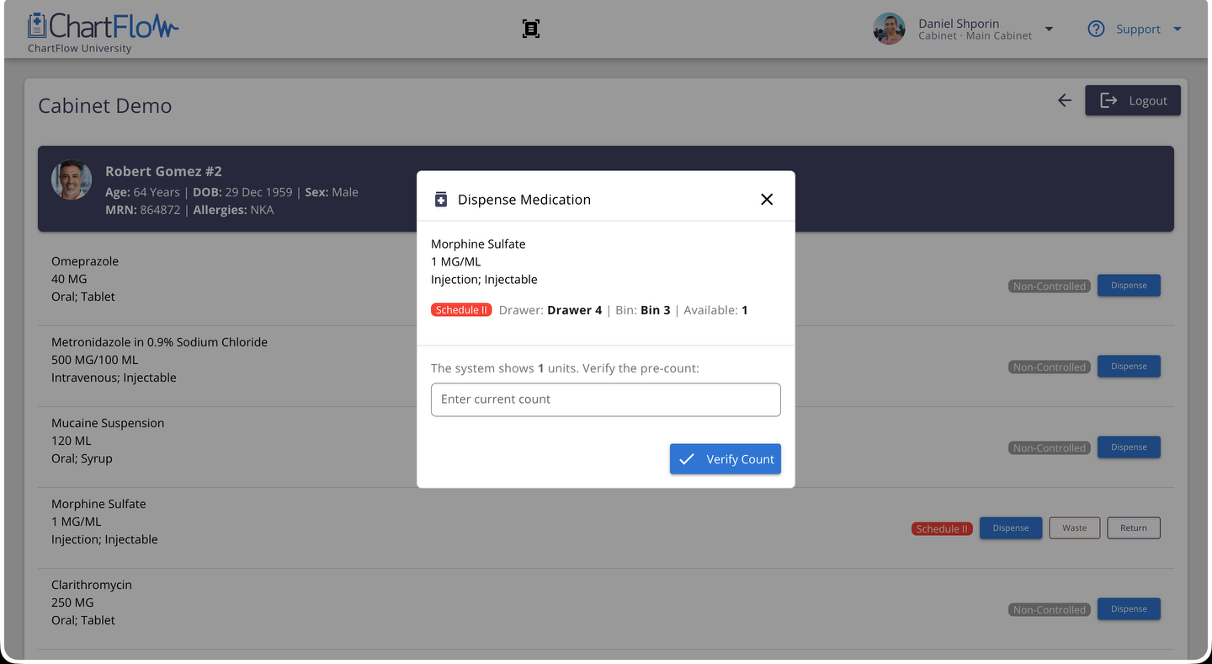
- Medication Cabinet. Controlled-substance schedules now appear on orders and the MAR, plus a new warning before charting Given on a medication that wasn't dispensed.
Interested in connecting with our team? Schedule a Zoom Demo
-Daniel
More posts like this